
Preferred pickup points for subscriptions
Globe saves the pickup point each customer chooses, separately for every carrier and shipping country. When your subscription app creates a renewal order, Globe adds the saved point for the carrier and country that renewal ships with.
This works with subscription apps that create renewal orders in Shopify, such as Shopify Subscriptions, Loop, Seal, Recharge or Appstle.
How the saved point is used
Section titled “How the saved point is used”- One point per carrier and country. A point saved for Packeta in Czechia is never used for a renewal shipping to Slovakia. If the customer has no point saved for that country, the renewal arrives without one.
- The carrier comes from the subscription. The renewal uses the shipping method set in the subscription app. A saved point does not change the carrier. To move a subscriber to another carrier, change the shipping method in your subscription app.
- Updated by every choice. When the customer chooses a pickup point at checkout or on the order status page, Globe saves it as the new point for that carrier and country.
- DHL Packstation. The customer’s Postnummer is saved with the point and added to every renewal.
The renewal gets a point only when its shipping method is connected to the carrier in Globe. See Adding pickup point carriers.
Let customers change it in their account
Section titled “Let customers change it in their account”- In Shopify admin, go to Settings → Checkout and click Customize.
- In the page selector at the top of the editor, choose Profile (or Orders).
- Click Add block and choose Globe preferred pickup points under Apps.
- Click Save.
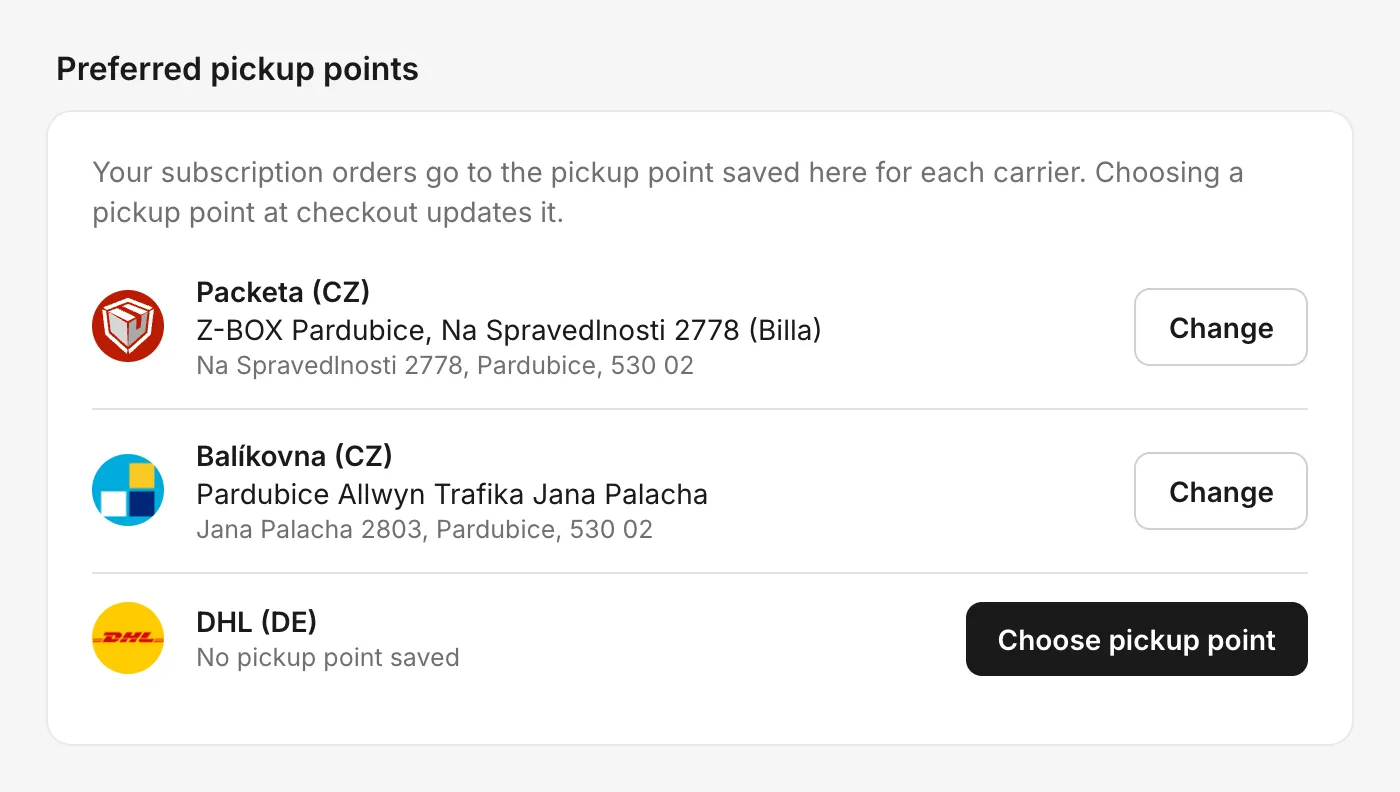 The block shows one row for each carrier and country the customer has ordered with.
The block lists only carriers and countries from the customer’s orders, including subscription renewals. A customer who has never ordered with a pickup point carrier does not see the block at all.
To change a point, the customer opens a map, searches by ZIP code, city or address and picks a point. For a DHL Packstation they also enter their Postnummer. The saved point can be removed in the same window.
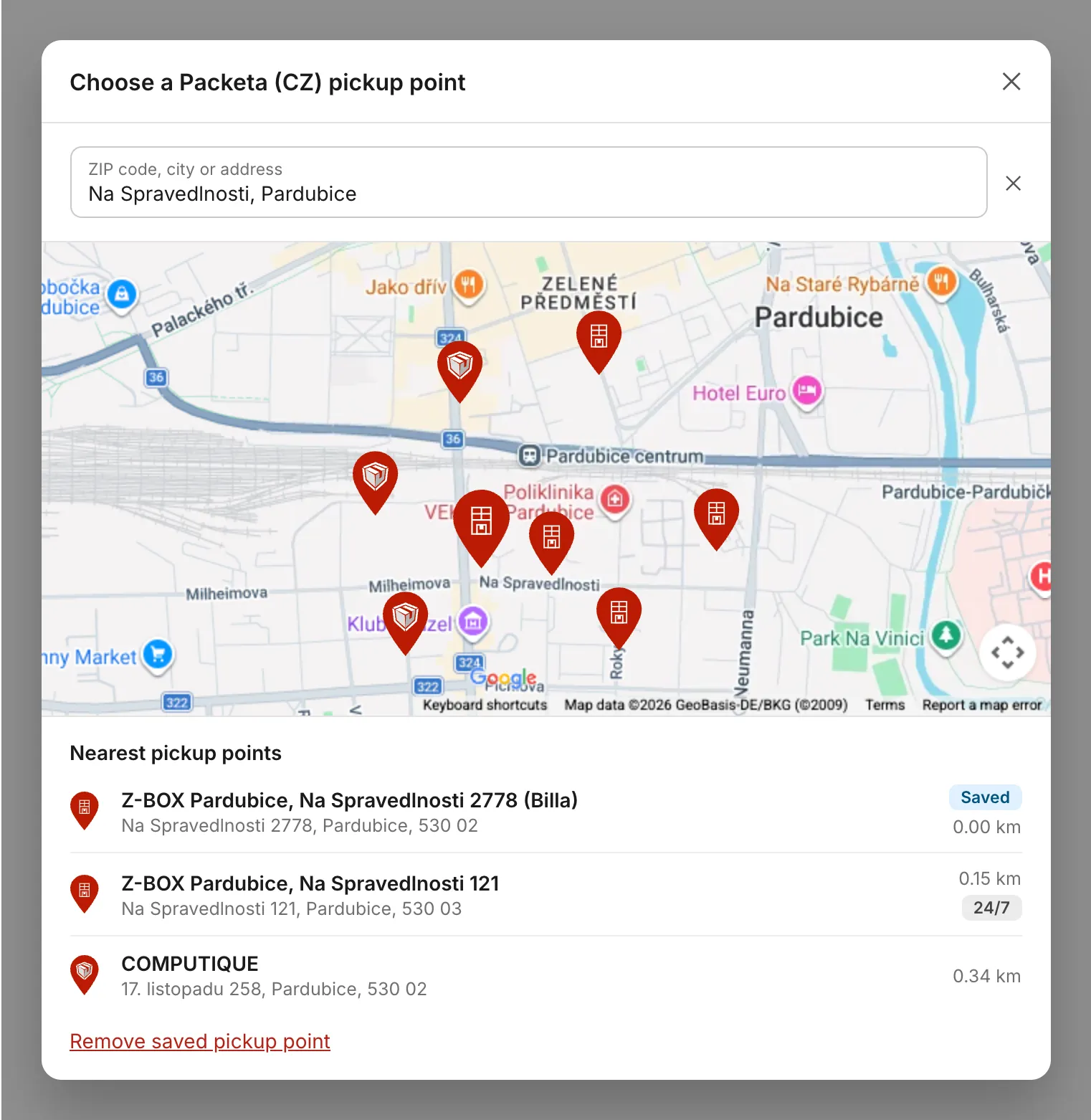 The same map and point details as in the checkout.
The map uses the same Google Maps key as the checkout map (see Google Maps API key). Without a key, the customer chooses from a list.
Change it for a customer in Shopify admin
Section titled “Change it for a customer in Shopify admin”Open the customer in Shopify admin and choose More actions → Modify preferred pickup points. You see the same rows as the customer and can choose a new point, search by ZIP code, city or address, or remove the saved one.
Use it when a customer asks support to change their pickup point, or after a pickup point has closed.
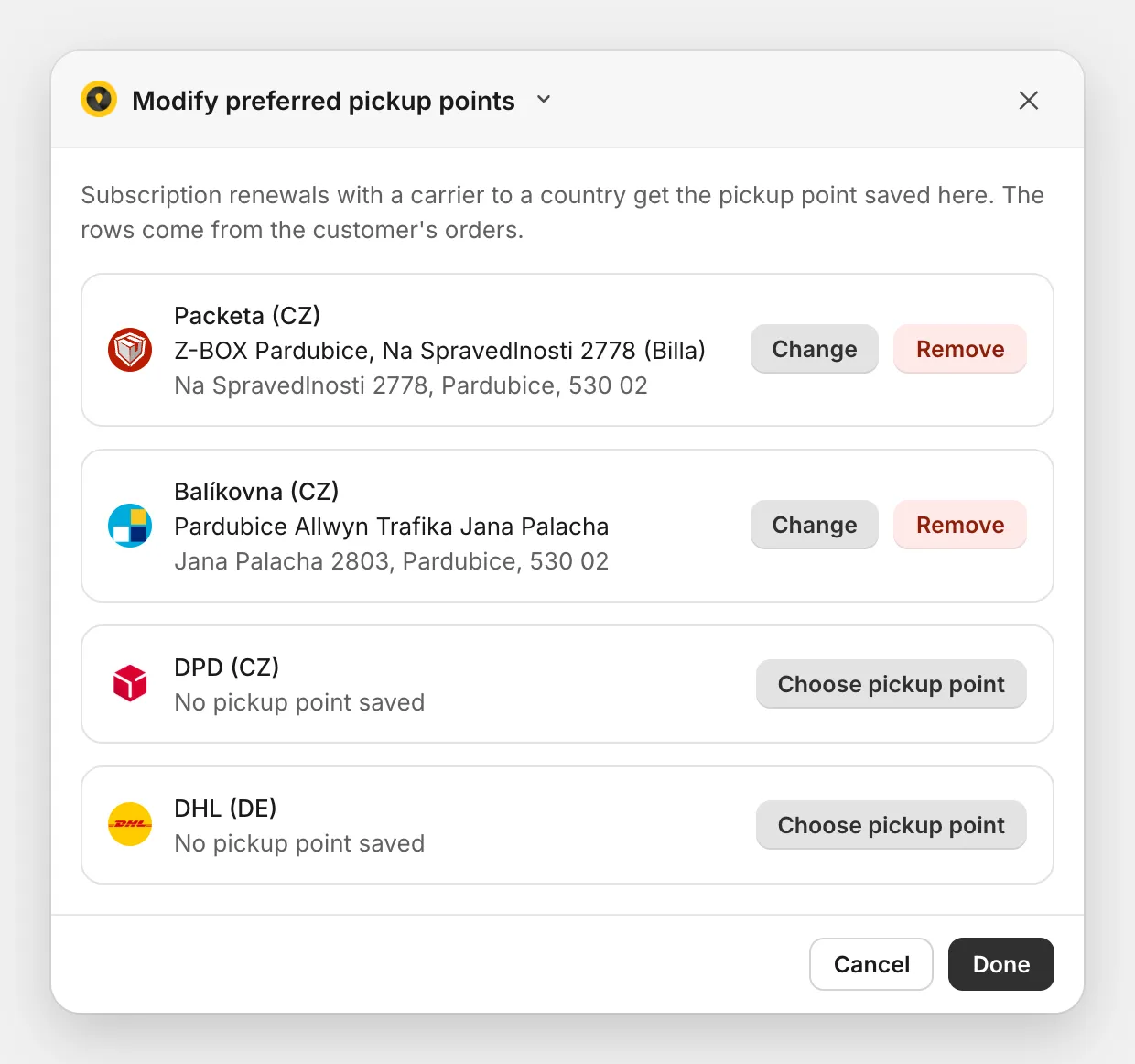 The admin action shows the customer’s carriers and saved points.
When a renewal arrives without a pickup point
Section titled “When a renewal arrives without a pickup point”This happens when the customer has no point saved for the renewal’s carrier and country, or when the saved point has closed. You can:
- Ask the customer to choose a point on the order status page. Globe saves it for the next renewals.
- Choose it for them with Modify preferred pickup points on the customer page. It applies to the next renewals; for the order that already arrived, change the point on the order.