
Adding pickup point selector to checkout & post-purchase
Globe provides three methods for displaying pickup points to your customers, depending on your Shopify plan and store setup.
Checkout
Section titled “Checkout”With Shopify Plus, customers select their pickup point during checkout using a list or interactive map. This ensures pickup points are confirmed before completing the purchase.
Note: Express payment methods like Apple Pay are an exception. In these cases, customers select their pickup point after completing payment.
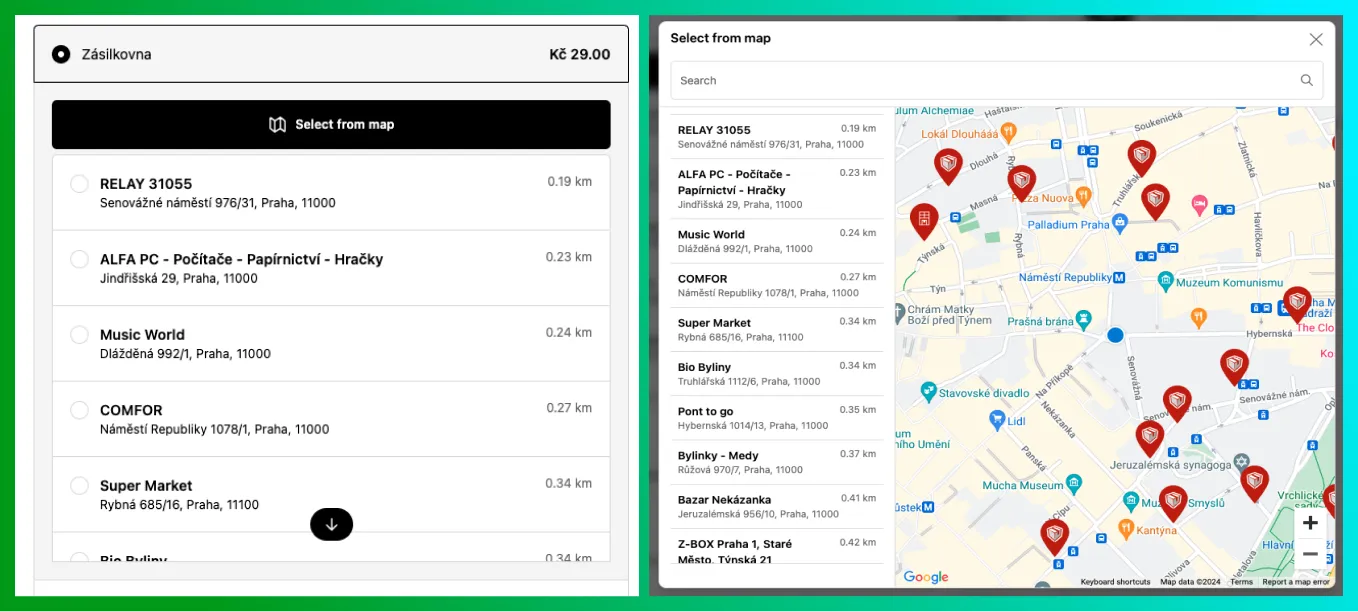
Customers select a pickup point during checkout (Shopify Plus stores).
Thank You & Order Status Pages
Section titled “Thank You & Order Status Pages”For stores on Basic, Shopify, or Advanced plans, customers select their pickup point immediately after completing checkout on the thank you or order status pages. This process is designed to be fast and seamless, maintaining a smooth post-purchase experience.
If a customer skips the pickup point selection, you can:
- Direct them to the order status page via email or a link.
- Enable automatic email reminders through the Globe app to prompt them to choose a pickup point.
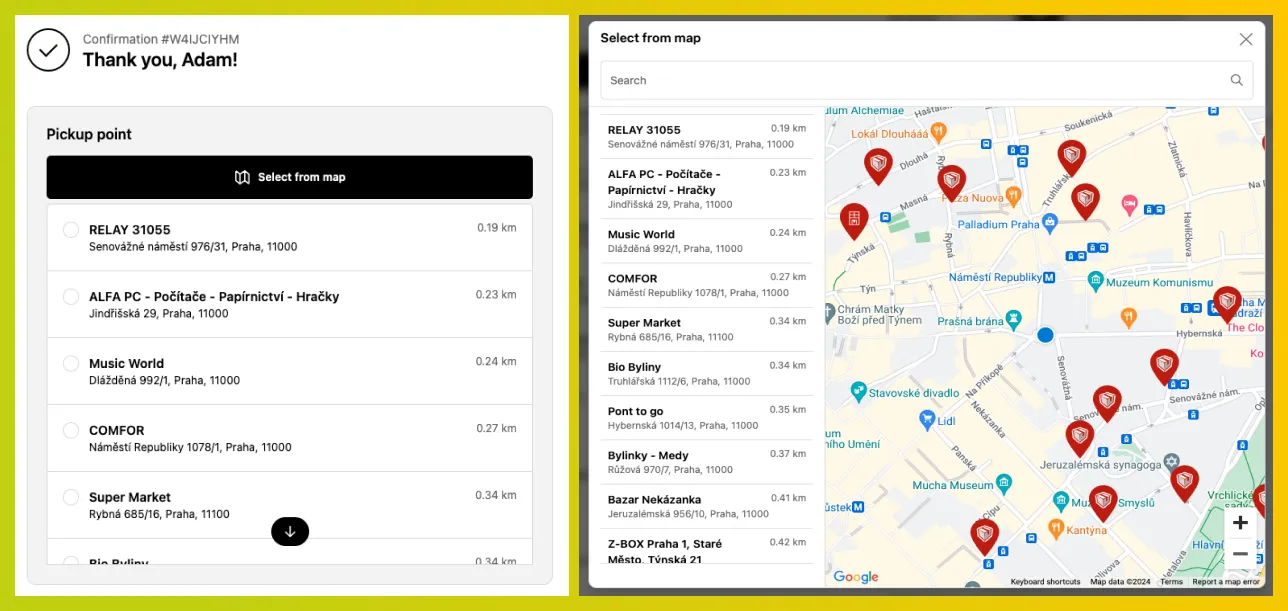
Customers choose a pickup point on the thank you page (Basic, Shopify, and Advanced plans).
Cart widget
Section titled “Cart widget”The cart widget is a theme app extension that embeds a delivery selector on your cart page or cart drawer. Customers choose between home delivery and a pickup point, browse an interactive map, and confirm their selection — all without leaving the cart.
Note that customers who use the Buy Now button, express payment methods (Apple Pay, Google Pay), or direct checkout links bypass the cart entirely. The Thank You and Order Status page selection above acts as the fallback for those cases. Stores with complex shipping setups may also not benefit from the cart widget.